Render tests
Tools
Render tests
Every change to ReflowTEX is checked against TEX by the render tests. Each test document is typeset by LuaTeX as a pageless PDF and shown in the browser with its column as wide as the PDF’s, and every glyph and rule the browser draws is matched with the one in the PDF. Accuracy says what they find.
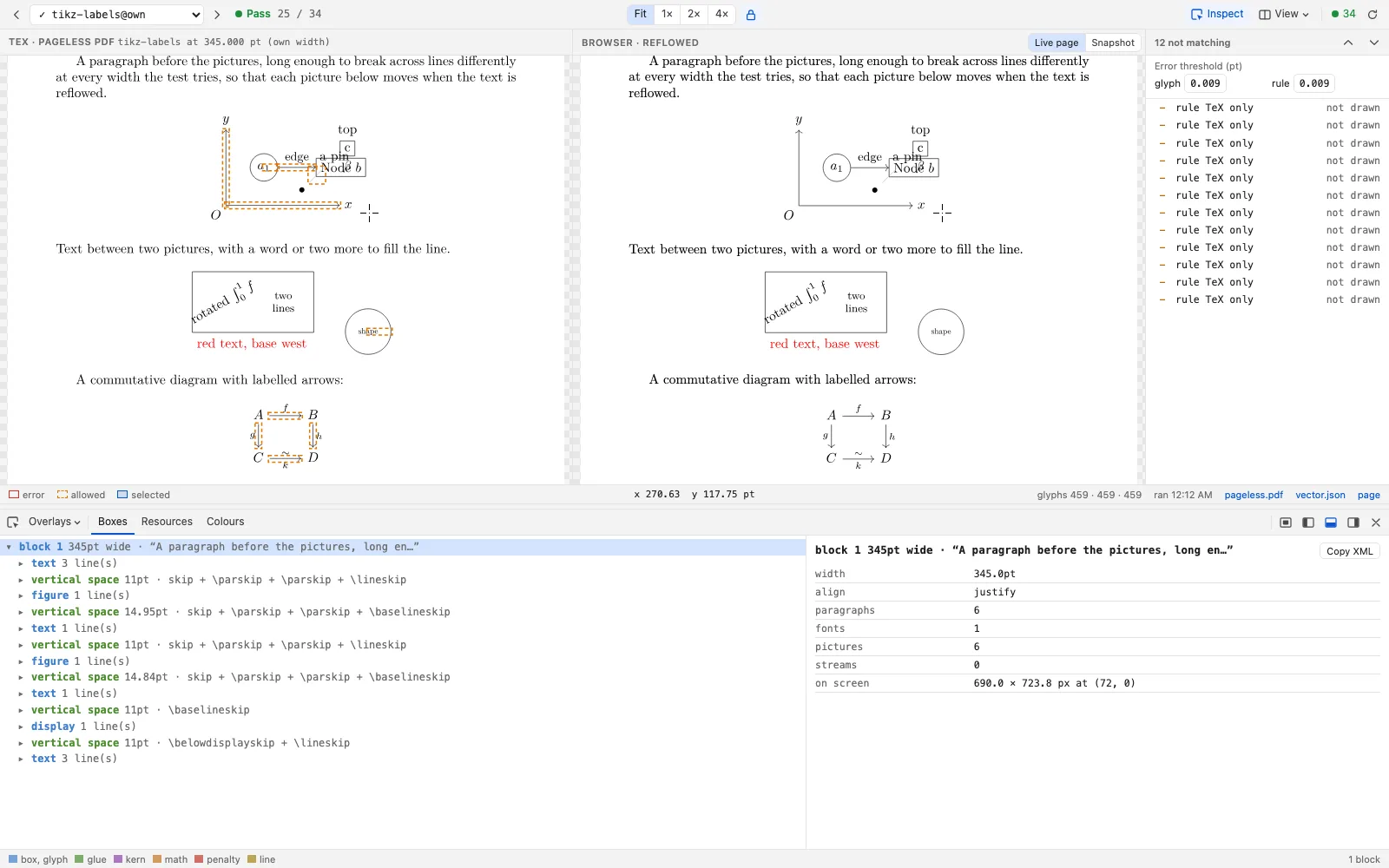
The page below shows every test, as run for this version of the site: the PDF on the left, and on the right the page the browser laid out, with the inspector open on it.
What it shows
A glyph or rule further from TEX’s position than the test allows is boxed in red on both sides, and so is one drawn on one side only. The list beside them has each of them; click one to bring it to the middle of both sides. The error threshold above the list says how far off counts: at 0, every offset is listed. The arrow keys go from test to test, and the bar at the top says whether each one passes.
The two sides scroll together, at the same place on both. A crosshair goes with the pointer and marks the same point on the other side, and a drag draws an area on both, with its size and place in points in the bar at the bottom. Inspect opens the inspector on the page, and View chooses the theme, the page’s colours, and whether the two sides are side by side or one above the other.
Running them
The tests are in tests/render/ of the repository. They need what the build needs, and Chromium, which the first run installs:
make test-render        # the short documents, at three widths each
make test-render-all    # and testmath.tex
make render-report      # the page above, for your run: http://localhost:8010/